
Download Quercusoft Budgets – Project Budget Management, Financial Tracking, Budget Planning, Budgeting Tool, Productivity App
Overview
Quercusoft Budgets is a mobile application designed to simplify the creation and management of project budgets, offering a structured solution for individuals and teams involved in complex project planning. Its primary purpose is to provide a reliable, accessible tool that enables users to build, track, and modify budgets throughout the entire lifecycle of a project. The app is especially useful for professionals in fields such as construction, event planning, software development, and consulting, where financial accuracy and real-time adjustments are critical. By centralizing budget data, Quercusoft Budgets enhances collaboration and transparency among team members, clients, and stakeholders. The application is tailored for users of all experience levels, with an emphasis on ease of use and intuitive navigation. While the developer did not provide additional background information, the app’s long-standing presence since its release on March 31, 2015, suggests a stable and tested platform. Real-world use cases include tracking material costs, labor expenses, and timeline-based budget allocations across multiple project phases. In the broader mobile app ecosystem, Quercusoft Budgets fills a niche for lightweight yet powerful budgeting tools that prioritize usability without sacrificing functionality.Key Features & Functionality
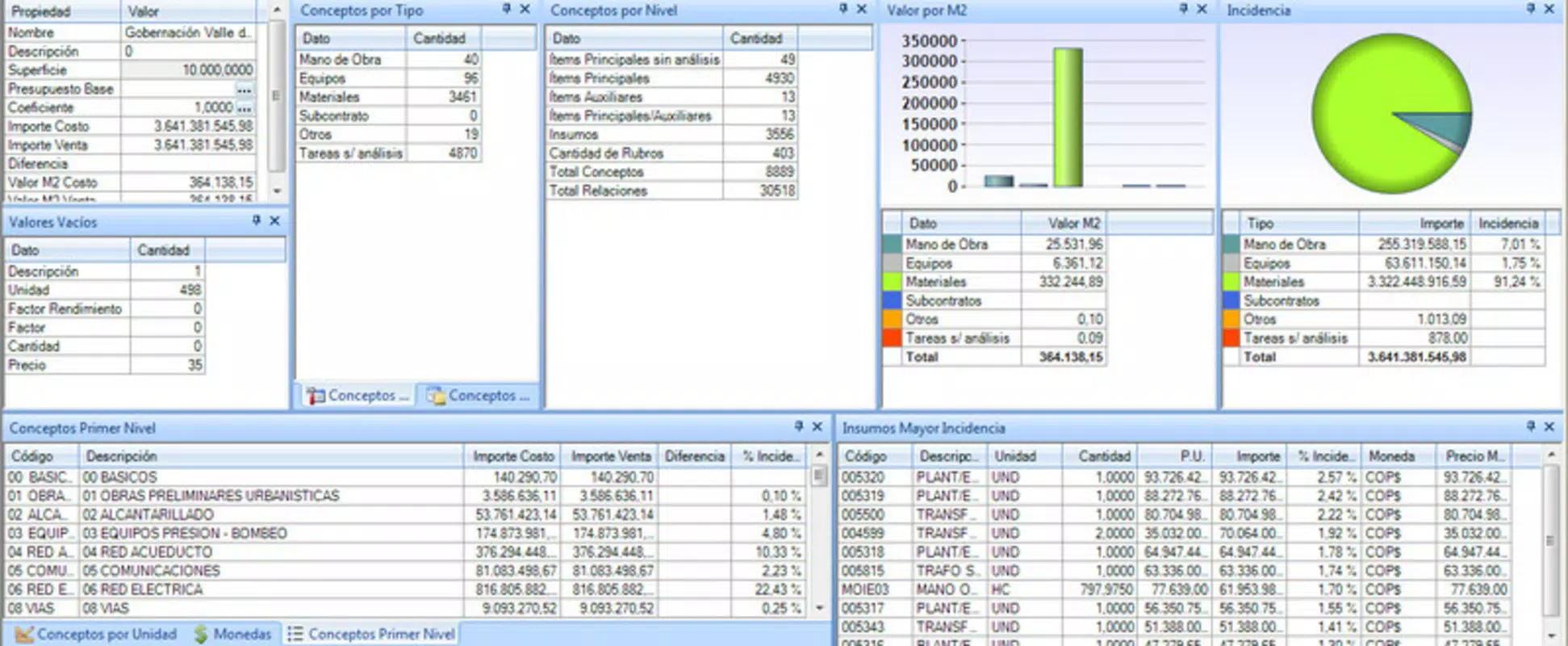
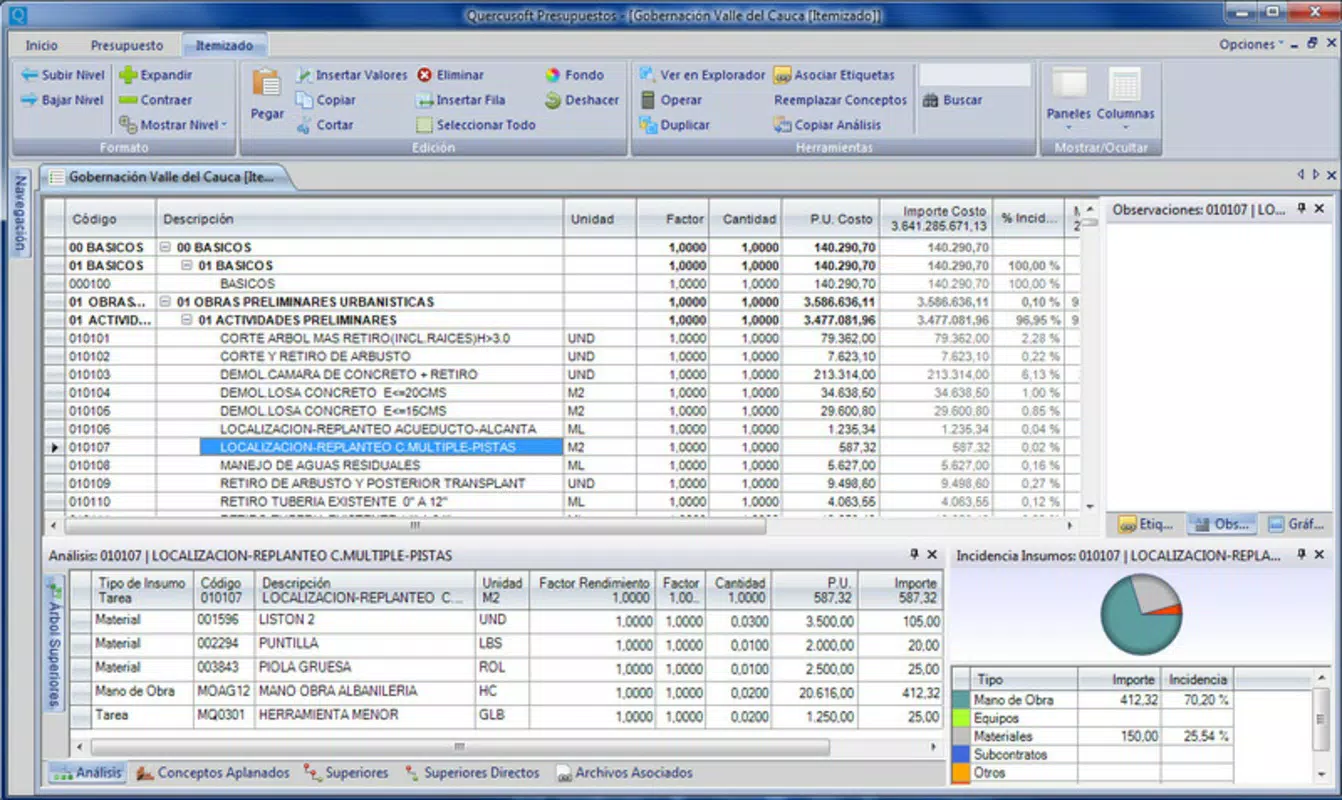
Quercusoft Budgets offers a suite of features that support comprehensive budget management across dynamic project environments. The app’s user-friendly interface ensures that even individuals with no prior budgeting experience can navigate its tools with minimal friction. This accessibility encourages consistent use and helps maintain accurate financial records from project inception to completion. One of the app’s standout capabilities is the ability to include unlimited budget components, allowing users to structure highly detailed budgets for large-scale projects. This flexibility supports the inclusion of materials, labor, equipment, and overhead costs without artificial constraints. The centralized project information feature enables data to be stored in a shared database, promoting seamless collaboration between team members and clients. This functionality is particularly valuable in remote or distributed work settings where real-time access to budget updates is essential. Dynamic budget modifications allow users to adapt quickly to changing project requirements, such as scope adjustments or unexpected expenses. The detailed tracking capabilities let users assign resources to specific tasks and schedule activities, providing a clear timeline of financial commitments. These features collectively support proactive financial oversight, helping users avoid overspending and maintain project alignment with financial goals.Practical Use Cases
- Tracking construction project costs across multiple phases using customizable budget lines.
- Managing event budgets by allocating funds to vendors, venue, staffing, and marketing.
- Monitoring software development project expenditures with time-based cost tracking.
- Updating client budgets in real time during project revisions without losing historical data.
- Sharing budget reports with stakeholders via a centralized database for transparent communication.
Interface, UX & Performance
The interface of Quercusoft Budgets is designed with simplicity and clarity in mind, featuring a clean layout that prioritizes functionality over visual complexity. Navigation is intuitive, with clearly labeled sections that guide users through the budget creation and modification process. The visual style is minimalistic, focusing on readability and efficient data presentation, which reduces cognitive load during intensive financial planning. Users can expect a smooth interaction flow, with logical transitions between budget setup, tracking, and reporting modules. Although the developer did not list formal performance metrics, the app’s long-standing operation suggests a stable and responsive experience across various device categories. Responsiveness appears to be consistent, with minimal lag during data entry and real-time updates. Stability is further supported by the app’s ability to handle complex, multi-component budgets without noticeable crashes or data loss. The user experience is optimized for both touch-based navigation and quick data input, making it suitable for on-the-go project management. While specific device compatibility details were not disclosed, the app’s design principles indicate broad usability across smartphones and tablets. Overall, the interface supports efficient workflow execution, encouraging regular engagement and sustained use.Platform Compatibility & Technical Requirements
Quercusoft Budgets is available on the Android platform, supporting the latest version of the operating system as of its release. The app’s file size is reported to be 15.2 MB, indicating a lightweight footprint that should not significantly impact device storage. Specific minimum OS requirements were not listed by the developer, so users are advised to ensure their device is running a recent version of Android for optimal performance. The app’s compatibility with various Android devices is presumed based on its general design and file size, though no formal testing data was provided. Installation and updates are expected to follow standard Android procedures, ensuring a familiar experience for users. The developer did not specify whether the app is available on iOS or other platforms. For users seeking a mobile budgeting solution, Quercusoft Budgets offers a focused tool that operates efficiently within its designated ecosystem. Compatibility information was not fully disclosed, so users should verify device specifications before downloading.Pros and Cons
- Intuitive interface suitable for users of all experience levels.
- Supports unlimited budget components for complex project planning.
- Centralized database enhances team collaboration and data sharing.
- Dynamic budget modifications allow for real-time adjustments during project changes.
- Comprehensive tracking features support detailed financial oversight.
- Developer did not provide detailed technical specifications or OS requirements.
- Platform availability is limited to Android; no information on iOS support.
- Specific performance benchmarks or device compatibility details were not disclosed.
- No mention of cloud backup or synchronization features.
- Updates and future development plans were not outlined.


